
Android gallery integration
On Android, Ente integrates with the rest of the system so it can act like a regular gallery app. Other apps can pick photos and videos from your Ente library, tapping a thumbnail in your camera app can open the photo directly in Ente's viewer, and you can set a photo as your wallpaper.
NOTE
These integrations are available on Android only.
Pick photos and videos from Ente in other apps
When another app asks you to attach a photo or video — for example a messenger, an email client, or a social app — Ente shows up as one of the apps you can pick from.
How it works:
- In the other app, tap the attach or add photo button
- In the app chooser, select Ente Photos
- Browse your Ente library and select one or more items
- Tap Use (or the equivalent confirmation) to send them back to the original app
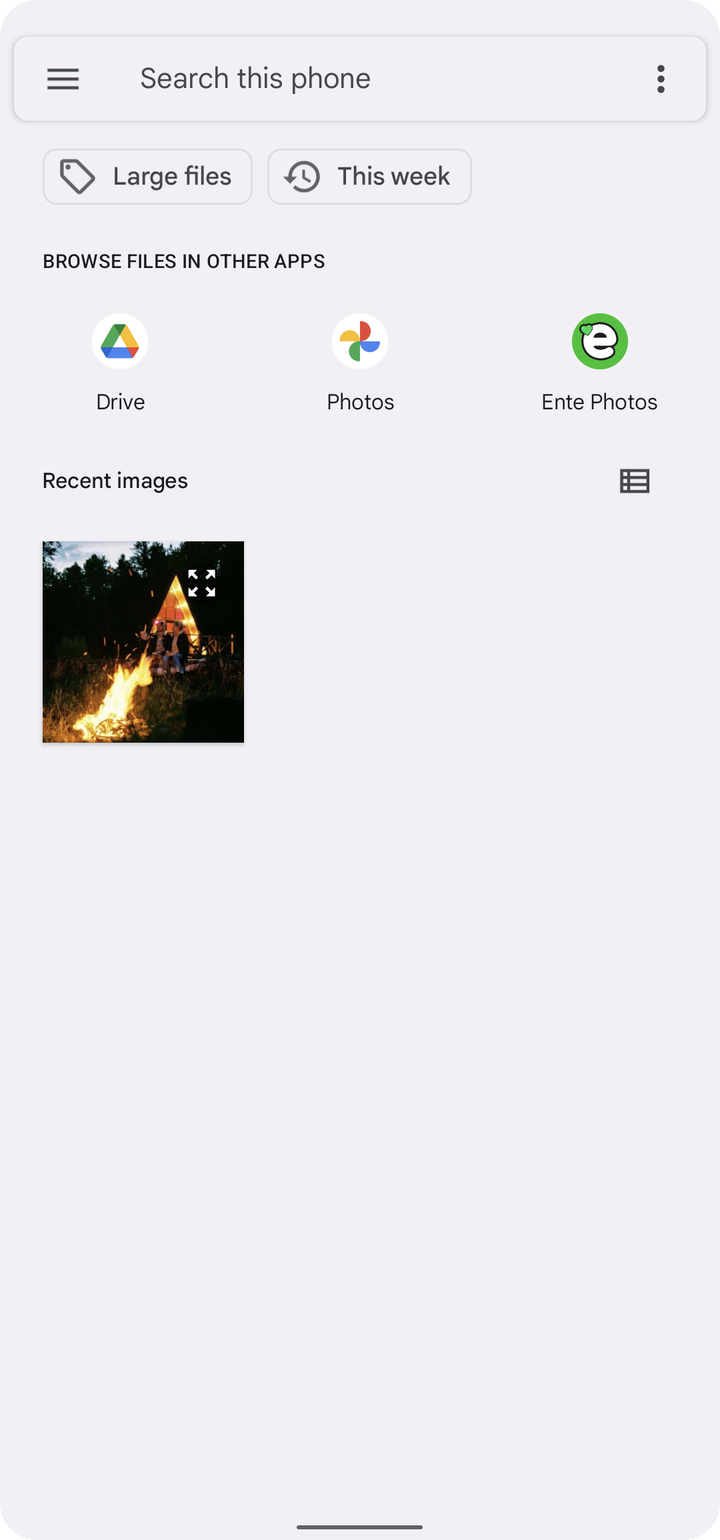
The picker opens directly in Ente without interrupting your normal session, and the original app receives the files you selected.
Ente registers as a handler for the standard Android picker intents, so it works with:
- The system photo picker (
PICK_IMAGES) - Apps that use
PICKorGET_CONTENTto request media - Both single-item and multi-item selection
- Image-only, video-only, or mixed media requests
Open camera thumbnails directly in Ente
After taking a photo or video, many camera apps show a small thumbnail you can tap to review the shot. On supported camera apps, that thumbnail can open the photo directly in Ente's viewer.
How it works:
- Take a photo or video in your camera app
- Tap the thumbnail preview
- If asked, select Ente Photos as the app to handle the review
- The photo opens in Ente's viewer, where you can zoom, share, or delete it
The first time you tap a camera thumbnail, Android may ask which app should handle it. Choose Ente, and optionally set it as the default to skip the prompt next time.
NOTE
Whether the thumbnail uses this integration depends entirely on your camera app, and not all camera apps support it. Notably, the default Pixel Camera and Samsung Camera apps do not send the review intent that Ente listens for, so tapping the thumbnail in those apps will not open the photo in Ente.
Set Ente as your default gallery
Ente also registers as a gallery app, so on Android versions that let you choose a default gallery, Ente will appear in the list.
On Android:
- Open device
Settings > Apps > Default apps - Select Gallery app (the exact name varies by manufacturer)
- Select Ente Photos
Once set as default, the camera thumbnail review and other gallery-style intents open in Ente without asking each time.
Set a photo as your wallpaper
- Open a photo in Ente.
- Tap the three dots in the top-right corner and select Set as.
- Select Wallpaper if Android shows an app chooser.
- Move or zoom the photo to adjust the crop, then tap Set wallpaper.
- Choose Home screen, Lock screen, or Home and lock screens.
This option is available for photos and Live Photos. Ente uses the still image from a Live Photo as the wallpaper.