I recently created a Paste link with a secret key that I meant to send to my personal chat.
And in a hurry, I accidentally dropped it into one of my group chats. Even though I quickly deleted it for everyone, it left me with a valid concern:
Someone could have opened it before me.
And if that had happened, there would have been no way to know who.
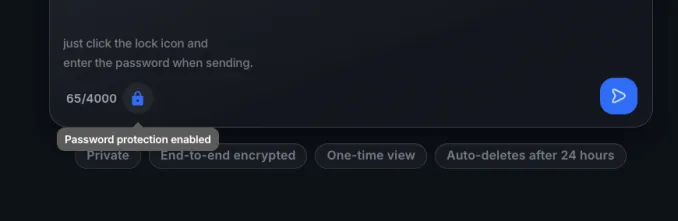
The only way we could think of preventing this was was to add a password to paste. That way, only someone with the password can open it.
And guess what? We shipped it. Now you have a more secure paste.
But here's the thing - in the first place, I was trying to open the Paste link from my desktop on my mobile. That's why I tried sharing the link.
If there had been a better way to do this, the whole situation could have been avoided.
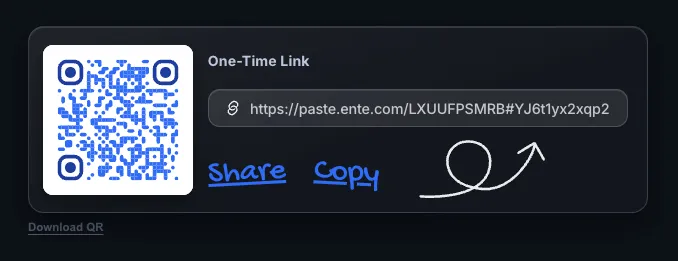
Turns out, it was already there. I could have created a QR code. I just missed it because it wasn't obvious enough.
So we fixed that too with this update. 😉
Try it at paste.ente.com.
And if you want to explore a bit more about how it works, we now have a dedicated Paste documentation as well: ente.com/help/paste.