Locker can now scan paper documents. Point the camera at a page, and Locker turns it into a PDF and saves it, all inside the app.
We built Locker as a safe place for the information that matters. Medical records. Identity cards. Insurance papers. Notes and passwords your family may depend on.
A lot of that information starts on paper. The birth certificate. The signed lease. The prescription from this morning. A vault for important documents needs a way to take in paper.
Until now, getting paper into Locker was a chore. You had to use a different scanner app, scan the pages, and export a PDF. Then you switch to Locker and upload it. Two apps for one document.
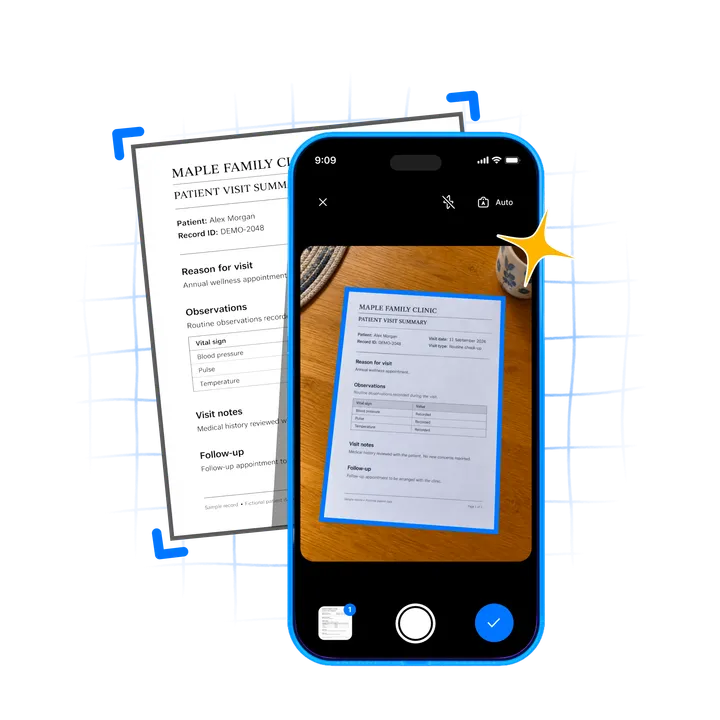
Scan, review, save
There is now a scan button on the Locker home screen. Tap it and the camera opens.
Locker finds the page for you. Hold the phone over the document and the edges light up. Keep it steady for a moment and Locker takes the shot on its own. No shutter button to hunt for. Flip the page and it captures the next one.
When you are done, you review the pages. Once you approve, Locker turns them into a single PDF and saves it into the collection you choose. You never leave the app.
Everything happens on your phone. The page detection runs on the device, and the PDF is encrypted before it goes anywhere. It is the same promise as the rest of Locker. We cannot read your documents.
Credits to FairScan
Finding a page in a camera frame is hard. Documents sit on cluttered tables, in bad light, at odd angles. The model that spots the page for Locker is the segmentation model from FairScan, a simple and respectful scanner app for Android.
Open source at its best: a hard problem solved well, then shared. Thank you, FairScan. If you are on Android and just need a scanner, theirs is worth a look. You can find it on F-Droid and Google Play.
We converted the model so it runs on our existing ML runtime, on Android and iOS. But the model is one piece of the scanner. The processing around it is just as important.
We built upon FairScan based on our own requirements. Simplifying the user options, making the scan capture automatic, cleaning up shadows and lighting, and assembling the PDF. Then we tuned all of it so detection runs smooth in the camera preview. All of it is open source, like the rest of Ente.
The documents that matter
Locker was meant for the documents that matter most. Now that includes the ones on paper.
Update Locker on iOS or Android, and scan the papers in that drawer.