On October 16, 2026, Google updated its privacy policy. The change that matters most is one line.
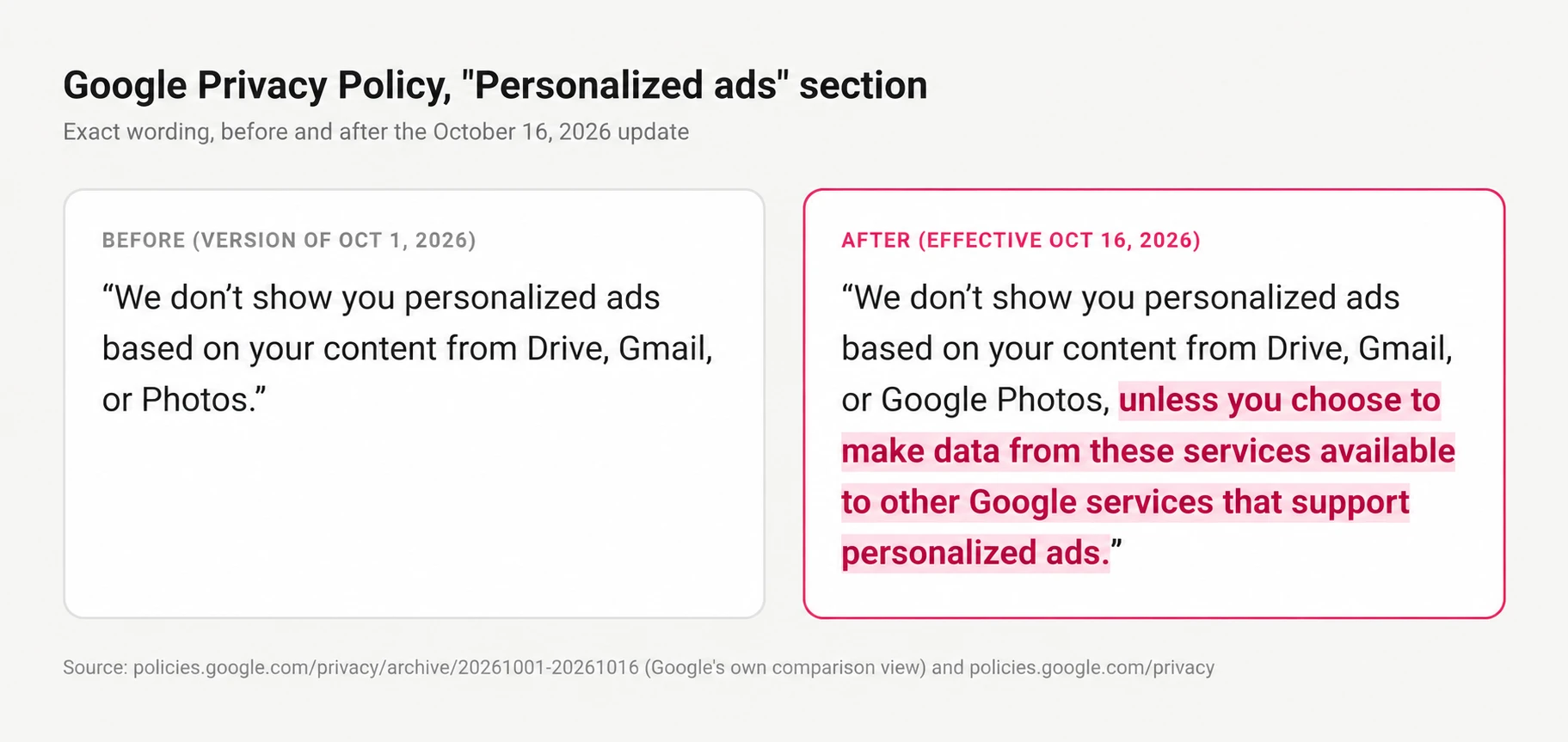 Connect Photos and Gmail to Search’s Personal Intelligence, and AI Mode can use them to give more personal answers.
Sounds handy. But on October 16, Search Engine Land reported that Google confirmed it was starting to test ads for users with connected apps.
Google says ads won’t be based “directly” on your photo library. Yet its help page says summaries and inferences from connected content may shape them. Advertisers don’t need your photo. What Google learns from it can be enough.
Here are some hypothetical examples:
A receipt from one fancy dinner.
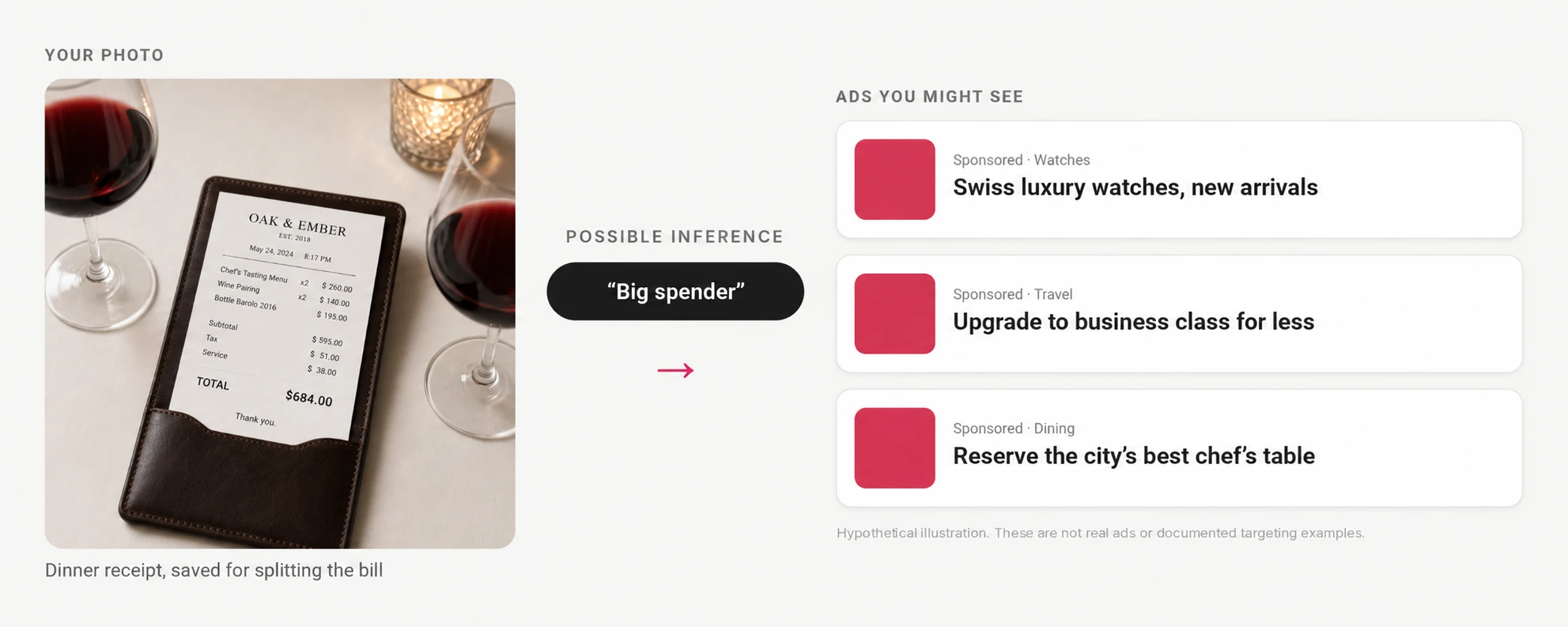 You took a photo of the bill so everyone could split it, but now you get tagged as a big spender and start seeing ads of Luxury watches and business-class upgrades for weeks.
Your kid's birthday party.
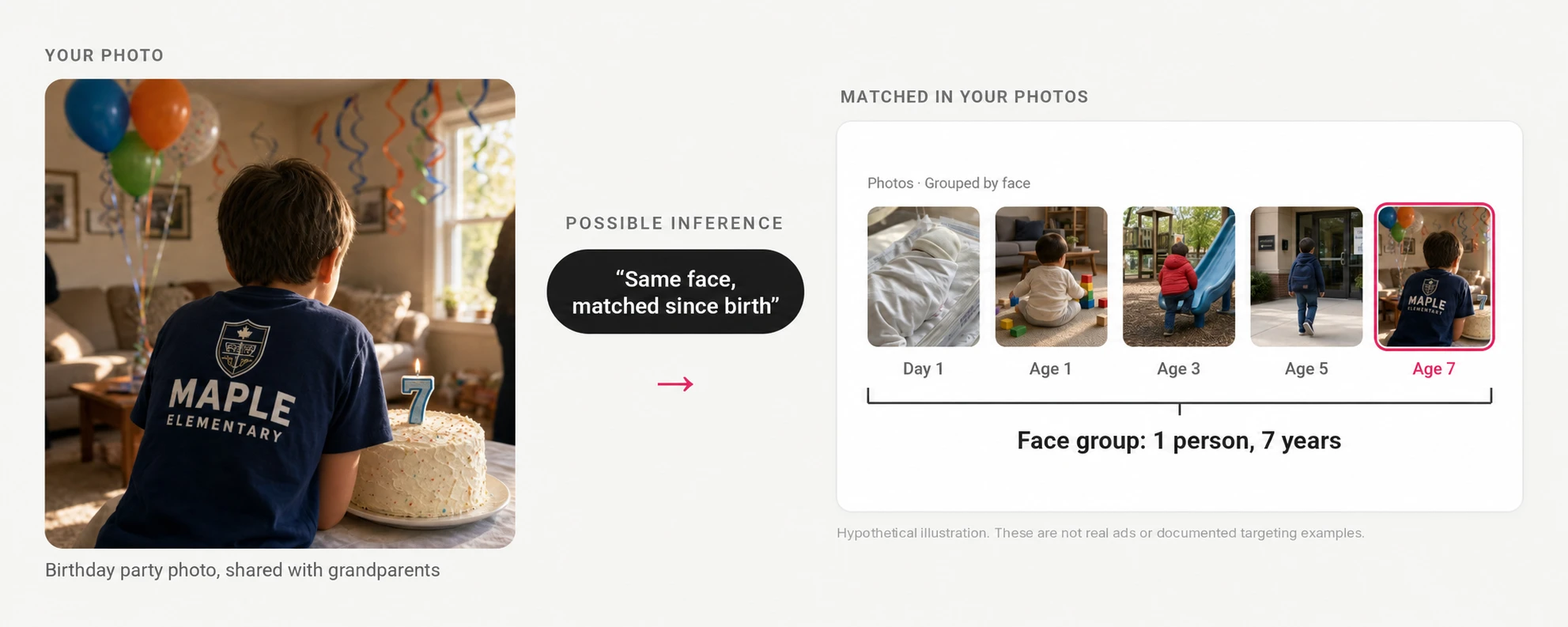 He's only seven. But AI could already piece together his entire childhood, from his first baby photo to where he goes to school.
A boarding pass at the gate.
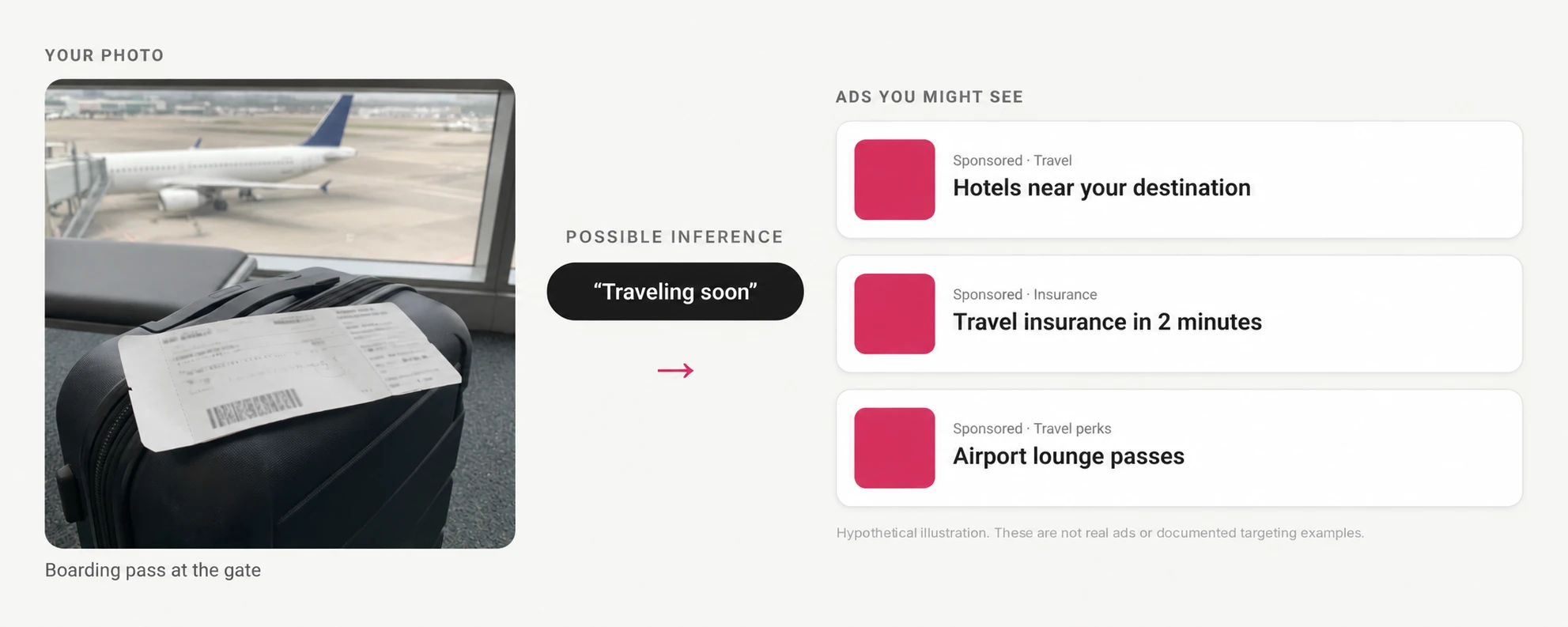 You took a photo to keep it handy but It could reveal where you’re headed and make hotel deals and airport offers relevant to your trip.
Want to see for yourself? Try a sample image on They See Your Photos, our experiment using Google’s Vision API to show what AI can infer from a single picture.
Google says sensitive categories such as health, race, religion and sexual orientation are excluded from personalized ad targeting, but your hobbies and travel interests can still help shape ads.
Google keeps putting Gemini within reach
You don’t have to go looking for Google’s AI. It’s showing up where you already search and edit your photos.
- In the Search tab. Google says an Ask Photos opt-in toggle may appear even while you’re opted out. Join, and the Search tab becomes “Ask.”
- On individual photos. The Ask button offers a ready-made “Help me edit” prompt, turning a simple edit into an invitation to use AI.
- In Gemini. Ask it to find a picture, and eligible users who haven’t connected Photos get an option to connect it there and then.
Each makes AI easier to use with your pictures. But the permissions matter: Ask Photos isn’t the same as connecting Photos to Search, and Gemini chats aren’t currently used for ads. The advertising connection discussed here is Search’s use of information from apps you choose to connect.
How to turn it off
Settings may vary by region and rollout.
- Search: Open Search Services Personalization → Additional Personal Intelligence → Connected Content Apps. Disconnect Photos and any other apps you don’t want connected. Review saved Search Services History separately in My Activity.
- Gemini: Open Personal Intelligence → Connected Apps and turn off Photos. Review or delete saved chats separately in Gemini Apps Activity. Connection settings · Delete activity.
- Google Photos: To disable its AI features on Android, open Photos settings → Preferences → Gemini features in Photos → turn off Use Gemini in Photos. This doesn’t replace checking your Search and Gemini connections. Instructions.
You can also turn off personalized ads in My Ad Center.
But is turning it off enough?
Turning off the Photos connection stops that access, but it doesn’t automatically delete information already saved in your Search Services History or Gemini Apps Activity.
Those histories need to be reviewed separately. And deleting saved activity isn’t the same as reversing model training that has already happened.
A better solution
You shouldn’t need to study three sets of AI settings to decide who can learn from your photos.
With end-to-end encryption, photos are encrypted before they leave your device. The company storing them can’t see what’s inside.
That’s how Ente Photos works. Even AI-powered search and face recognition run on your device, not on our servers.
Here’s how Ente compares with Google Photos, and how to move your photos over when you’re ready.